The DigitalOcean Copilot Journey
From a docs widget to a copilot platform: a year of building AI that users actually trusted
It started as a widget on the documentation site, an AI assistant that answered questions using our docs. It was useful enough that people found it and used it, but limited enough that the team kept wondering what it could grow into.
We turned it into a copilot embedded in the product, spread it across the platform, and eventually made it something other companies could use. That took about eighteen months. The question stayed the same the whole way: how do you build AI that people trust enough to rely on?
The framework was four words. The copilot had to be embedded, explainable, editable, and trustworthy. Each word shaped a different part of the design.
Cloud infrastructure is complicated. Pretending otherwise never helps a user. The work was making AI carry some of that complication instead of adding to it.
The criteria
Embedded. Explainable. Editable. Trustworthy.
Four words sat on a slide that the team came back to every week. Embedded means the assistant lives where the work happens, never as a destination of its own. Explainable means every answer shows its sources and reasoning. Editable means every output can be corrected, refined, or rejected by the user. Trustworthy is the outcome the other three produce: when AI is in your product, the user only keeps using it if they know what it knows and what it doesn't.

Where it started
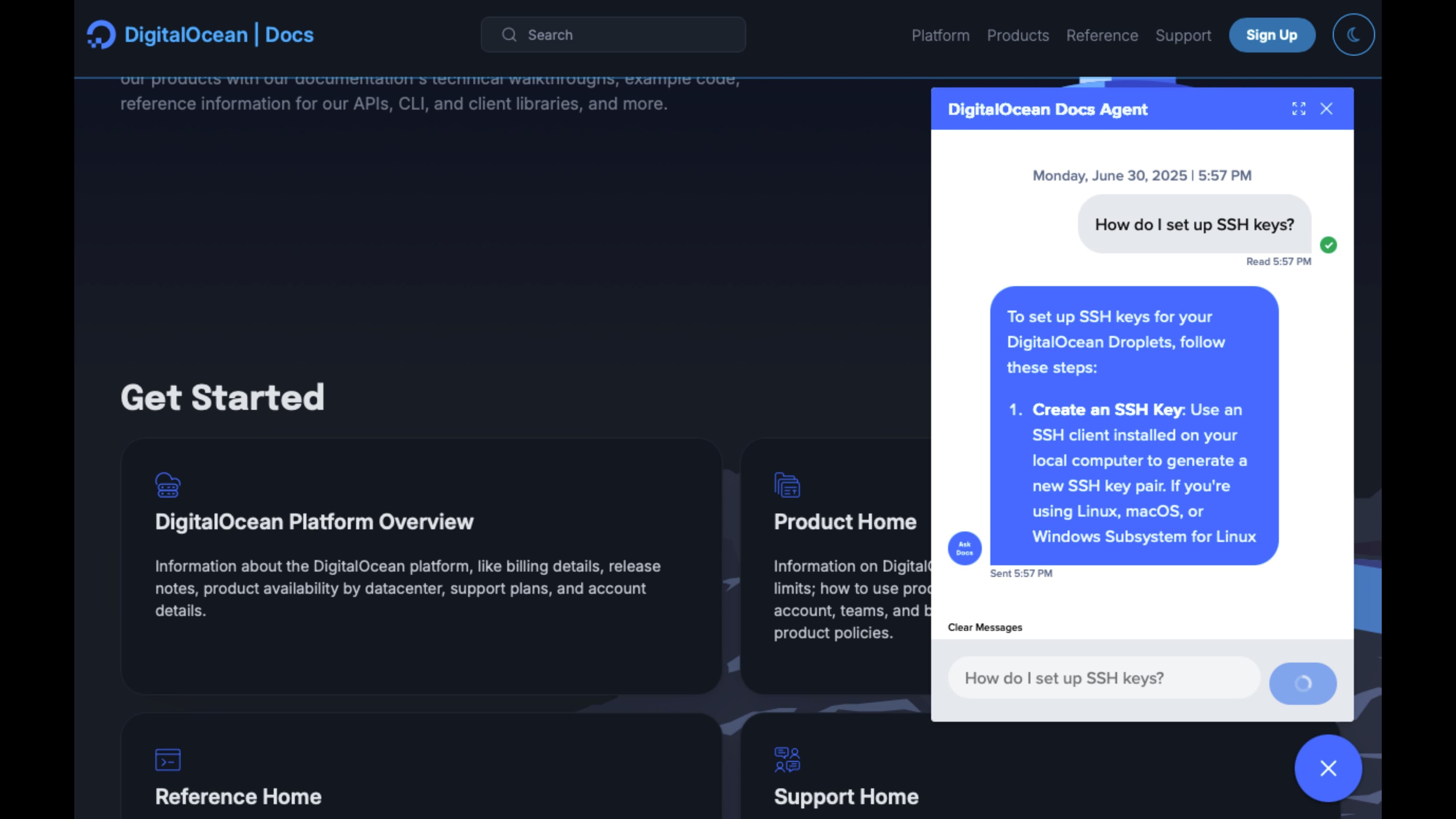
A widget on the documentation site.
The first version was small and contained. You opened the docs site, asked a question in plain language, and got an answer with citations back to the documentation it came from. Low-stakes on purpose. It set the bar for everything after: every answer had to trace back to a real source, with no made-up commands or invented flag names. We had to get that grounding visibly right before we'd earn the right to put AI anywhere else in the product.
The leap
From a chatbot to a UX layer.
The leap was deciding the docs widget had to move. The team was treating it as a chatbot. We shifted perspective: the assistant is a layer of help, available wherever someone needs it, able to act on their account when it makes sense, and quiet when it doesn't. That changed everything. We stopped designing one feature and started designing something that could spread across the product without taking it over.
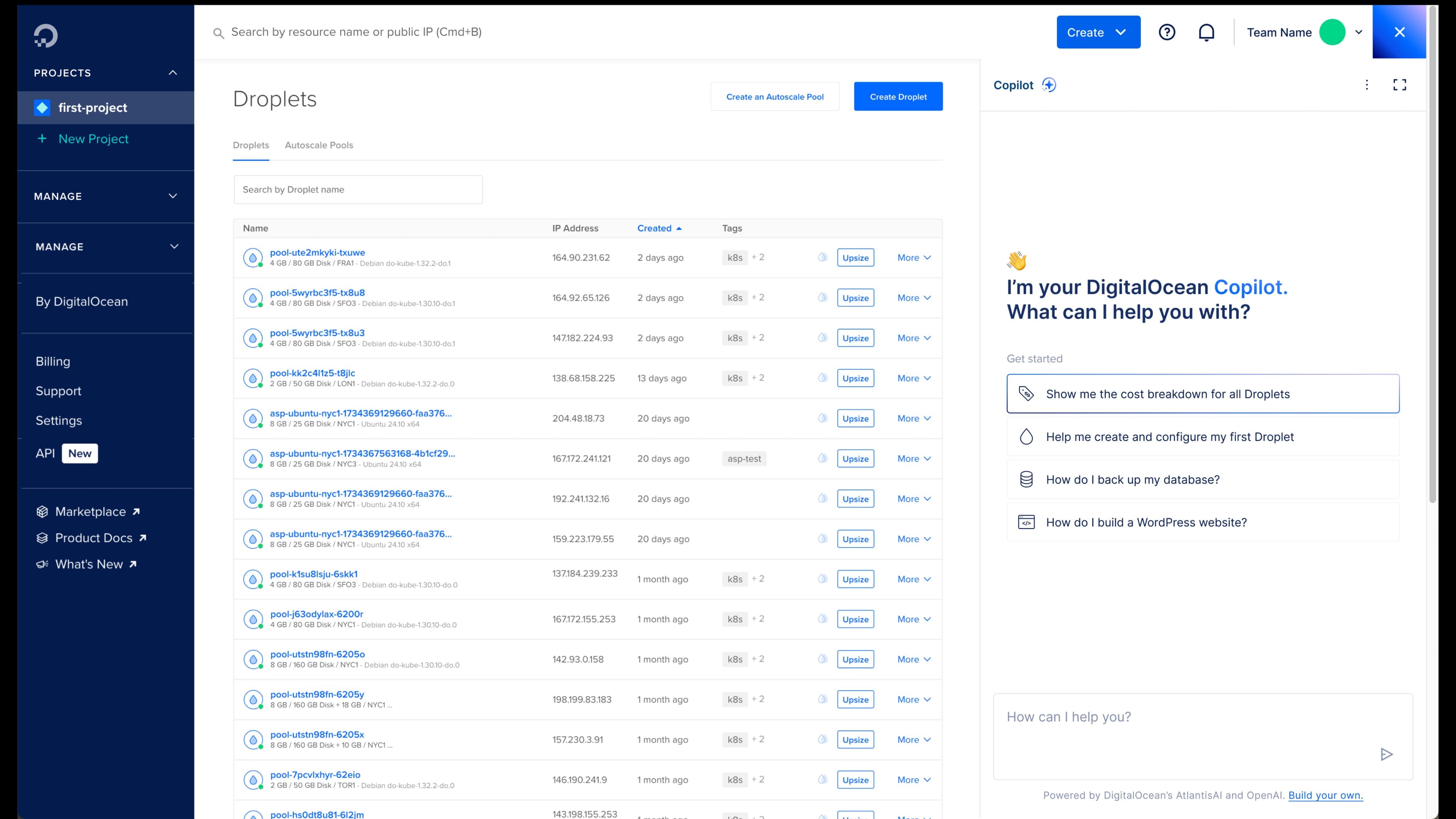
The embedded version lives in the control panel as a docked panel you can call up or dismiss. It knows what page you're on, what resources you have, what role you're in. It can explain a billing chart, walk you through creating your first Droplet, or generate a config file you copy into your terminal.
It doesn't replace the parts of the product that work. The Droplets list stays the Droplets list. Billing stays billing. The copilot adds help on top. It doesn't pull you away.
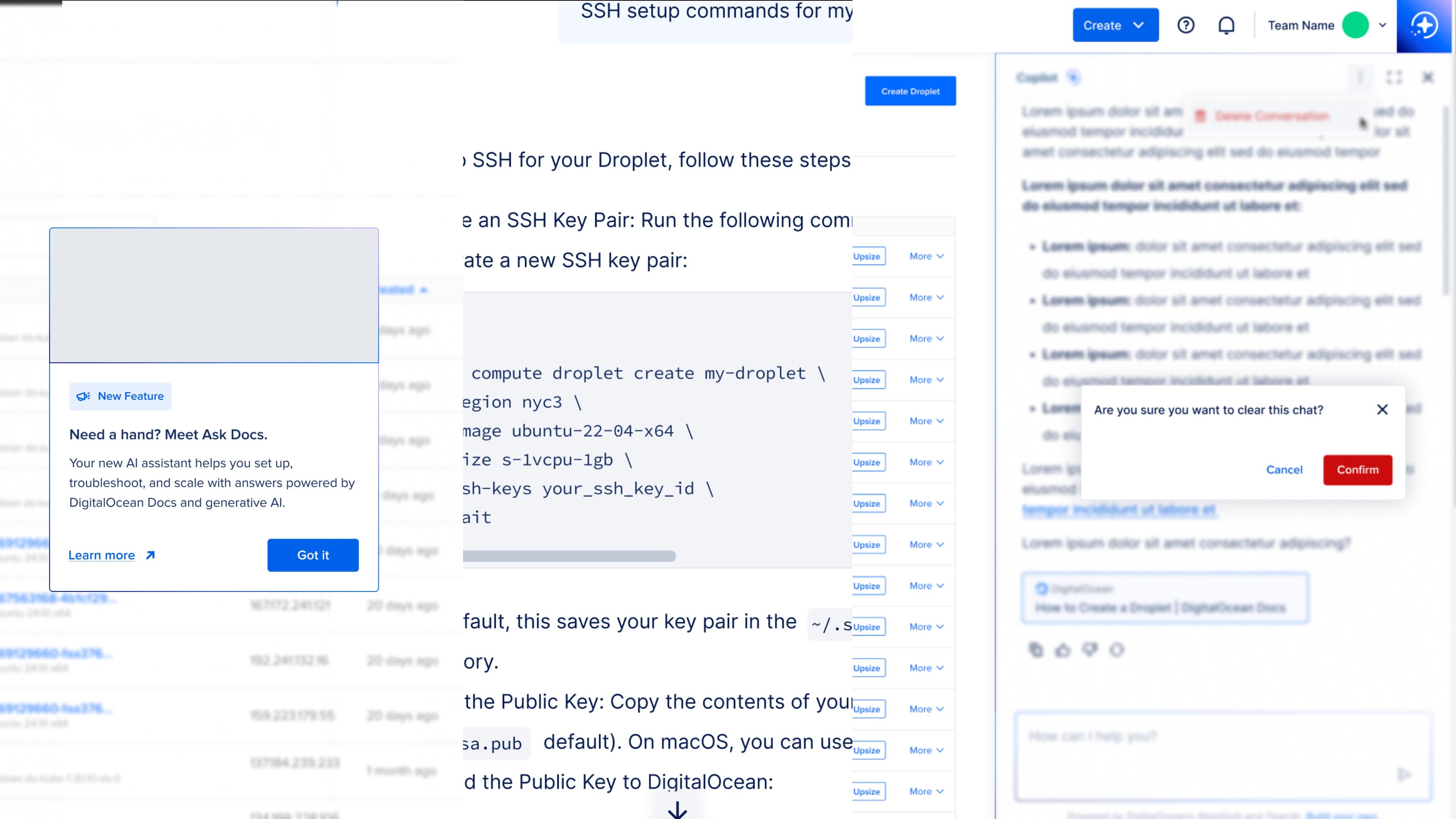
We built three small things around it: an indicator showing what the copilot can see, suggested prompts so the blank box doesn't sit empty, and a "cite sources" toggle on by default. Trust gets built in small moves. Marketing doesn't buy it.
The result is an assistant that behaves like a coworker who read every doc and watched you work: helpful when you need it, quiet when you don't.
The product
Then we shipped it to everyone else.
Strategic partners started asking how they could build something similar. We had a working product and a clear idea about embedded AI. So we productized it. DocsBot lets a company create their own documentation copilot with their branding, analytics, and training. The hardest part was onboarding, because the person we were now designing for might never have trained an AI before.
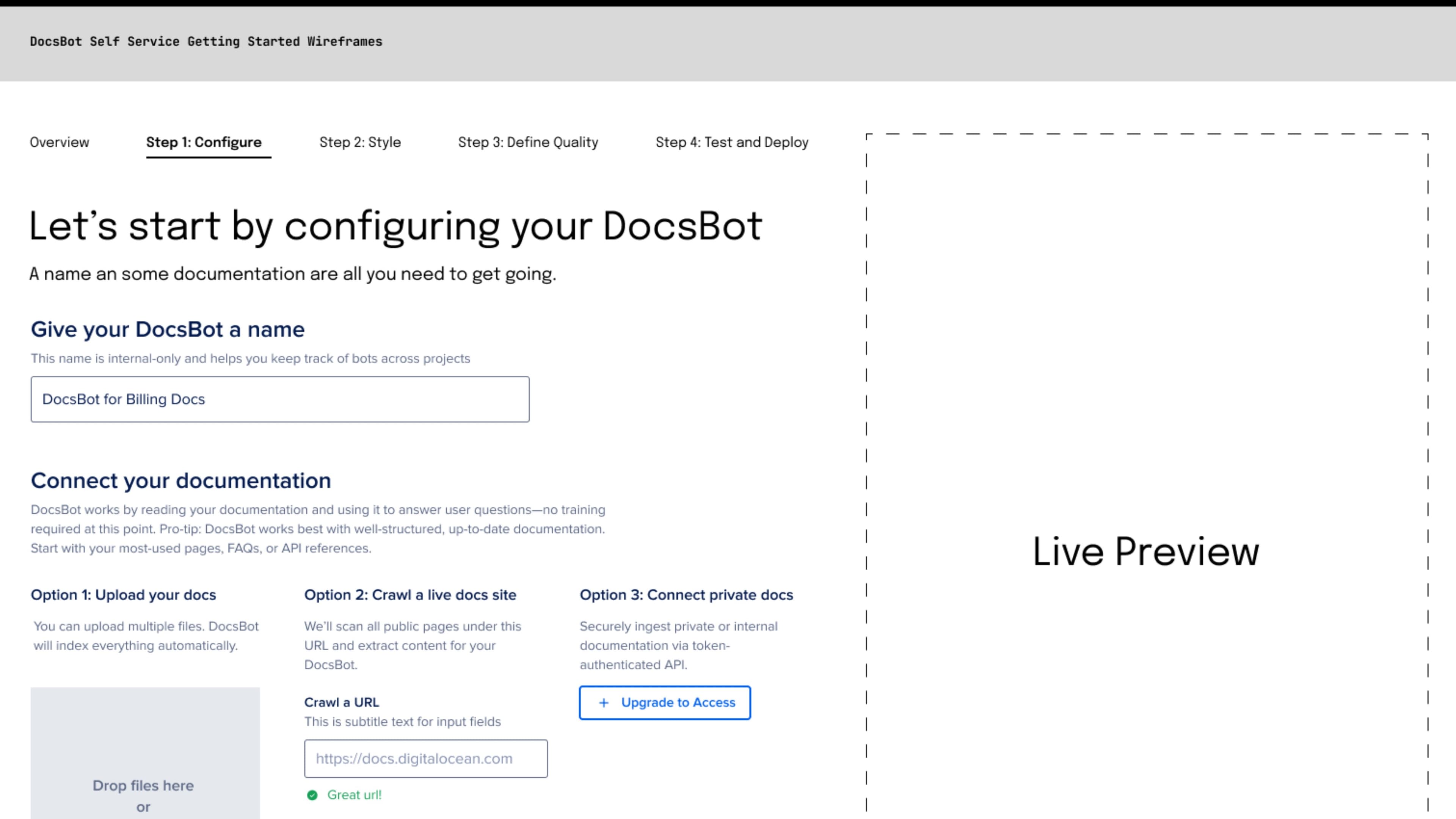
Most teams assume regular users can't train a bot. Most people are curious about AI and willing to try, with guidance. We built an onboarding pattern called the Golden Dataset. You define ideal answers with real examples: tone, accuracy, what you'd say to a customer directly. The bot trains on those instead of generic web, and ends up sounding like your company.
Configure is small on purpose: three ways to connect docs, one brand choice, one name field. A few clear decisions, and you move on.
Style is where the bot looks like your company. Colors, voice, logo, suggested prompts. Live preview updates every choice so you see the result as you make it.
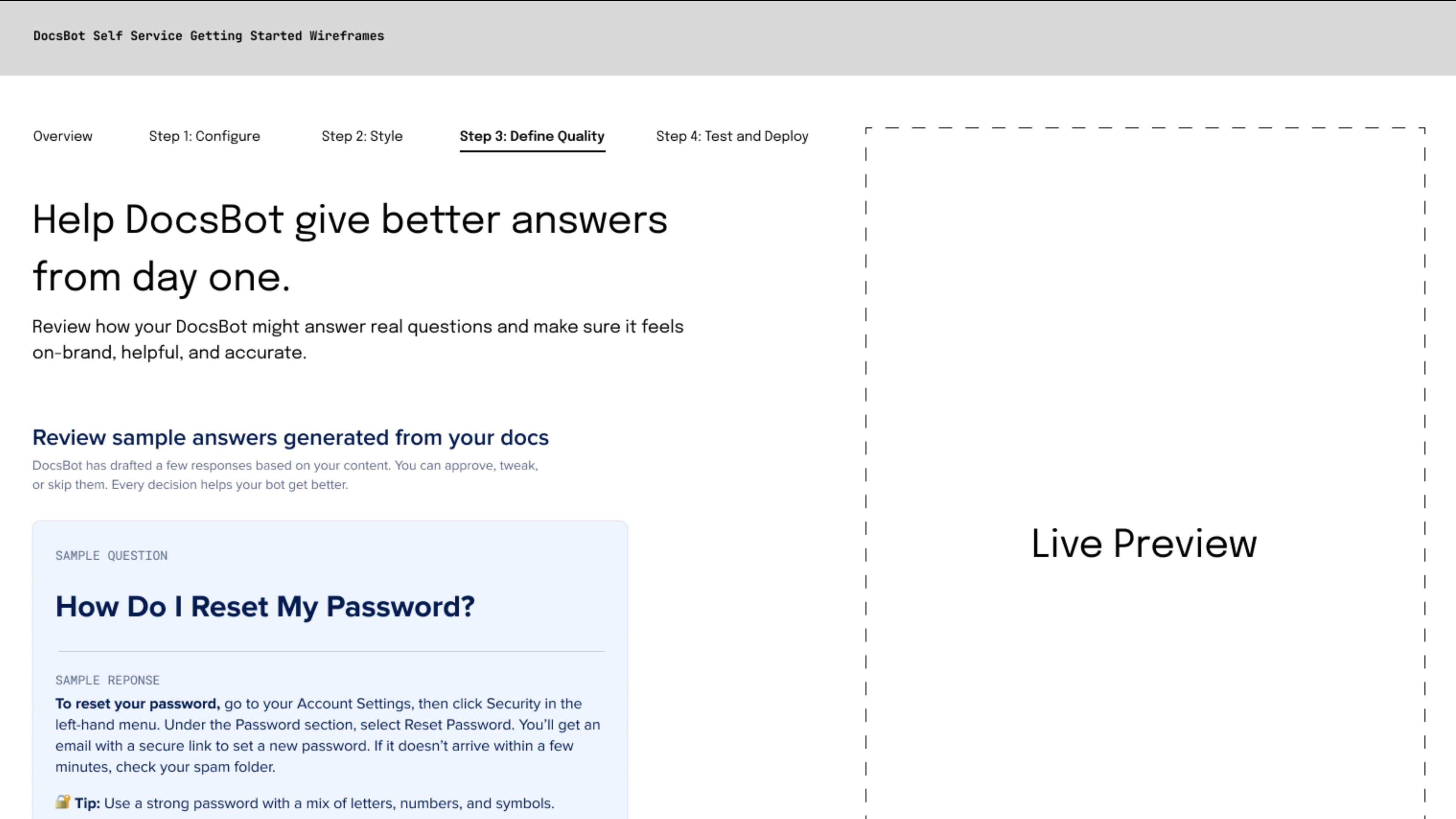
Training brings in the Golden Dataset. Review sample answers, approve what sounds right, edit what doesn't, skip what you'll return to. Each review teaches the bot how your company speaks. After about thirty examples, the tone is consistent. Customers can't tell bot from person.
What it became
It turned into a platform.
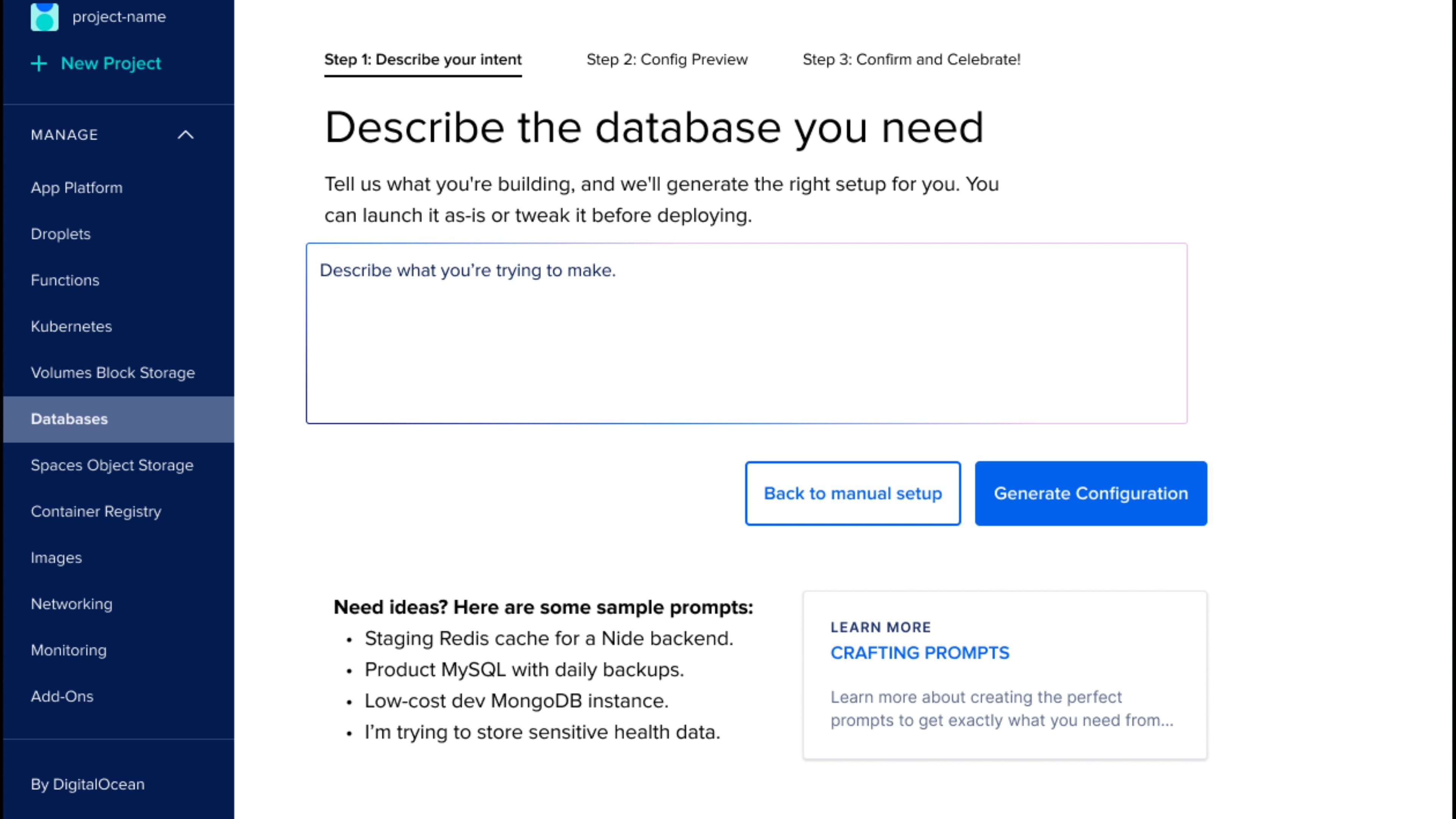
The widget became a platform that PMs, designers, and engineers at DigitalOcean now build on. The Database Create Copilot was the first to use it. The next round of copilot surfaces came faster because the trust criteria, design patterns, and engineering scaffolding were in place. The team didn't have to argue about what good AI design looks like every time someone wanted to add it.
What I'm proudest of is how it changed the design team. AI stopped being a special case and became something we design. We critique it with the same language, hold it to the same trust standards, test it for the same rigor. The team can ship AI at production quality without a separate "AI team" becoming the bottleneck.
The four words still live on the wall, and they're how the team explains the work to new hires, executives, DocsBot customers, and themselves: embedded, explainable, editable, trustworthy. Those words mean something now because the product actually behaves that way.
The next one is already underway.
A customer said the copilot felt like "a coworker who actually read the docs." We got it right: AI you can trust because you see what it knows and what it doesn't.
Why
- DigitalOcean
- Cloud and Developer Tools
- AI
- Design Leadership
- Product Strategy
- AI Experience Design
- Product Design
- UX Design
- Design Systems
- Wireframing
- AJ Zichella (Design)
- Soyun Park (Design)
- Isabel Shic (Design)
- Kevin Carrillo (Engineering)
Up next